

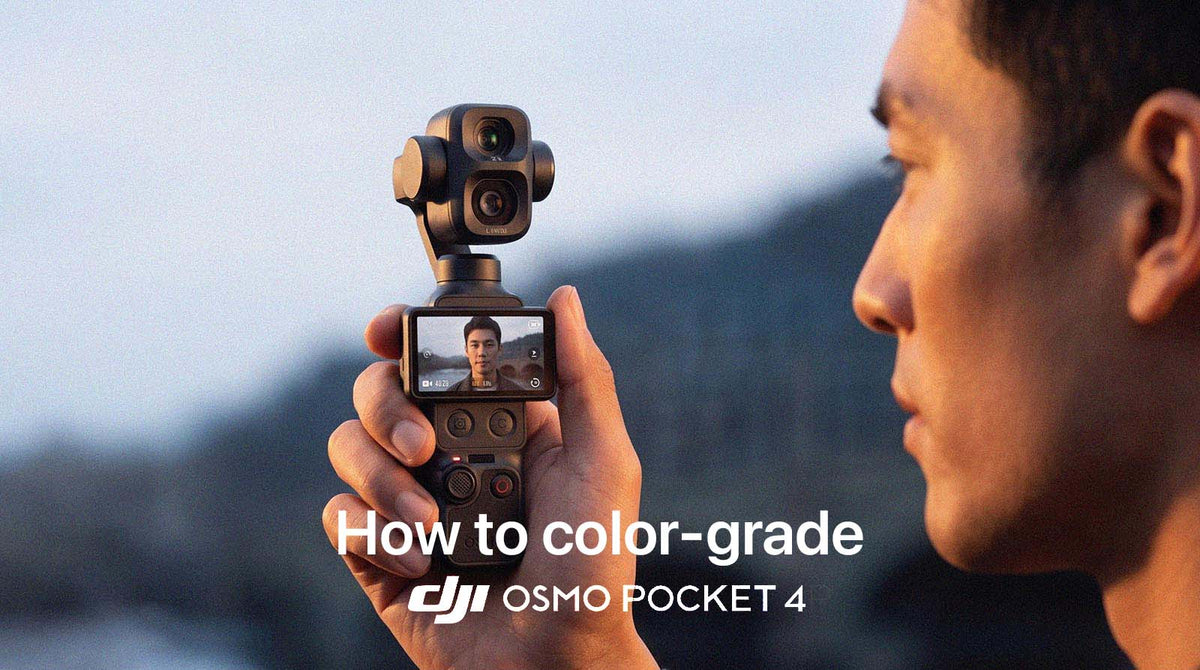
DJI Osmo Pocket 4 & 4P: How to Actually Color Grade D-Log and D-Log 2 in 2026
DJI's Osmo Pocket 4 and Pocket 4P look nearly identical, but they don't shoot the same Log profile. The 4 shoots standard D-Log. The 4P is DJI's first Pocket camera to add D-Log 2, a newer profile with meaningfully more dynamic range. Mixing the two up when grading is one of the most common mistakes creators make with this camera line.
- Osmo Pocket 4 shoots regular D-Log only, with a claimed 14 stops of dynamic range.
- Osmo Pocket 4P adds D-Log 2, DJI's newer 10-bit profile claiming 17 stops, alongside the older D-Log in slow-motion mode.
- Know which profile your footage is actually in before you grade it. Applying a D-Log LUT to D-Log 2 footage (or the reverse) will not look right.
- ToneLab Chroma handles both D-Log and D-Log 2 with dedicated conversions, plus a full finishing toolkit, inside DaVinci Resolve, Premiere Pro, or After Effects.
- Static DJI LUT packs work, but only give you one look per LUT, and you need to match the right pack to the right profile yourself.
- DaVinci Resolve's free tools are the zero-cost route if you have time to learn manual grading for both profiles.
Why this matters
Both cameras record flat, low-contrast footage on purpose. That's what a Log profile is for: it holds more highlight and shadow detail than a standard color mode, at the cost of needing a conversion step before the footage looks finished.
The part that trips people up here is that "D-Log" and "D-Log 2" are not the same profile with a version number bump. They have different tone curves and different dynamic range, so a LUT or conversion built for one will not correctly grade footage shot in the other. A recent firmware update also added D-Log support to slow-motion mode on both cameras, which used to have no Log option at all in that mode. Worth knowing: D-Log 2 still isn't available in slow motion, only regular D-Log is.
A quick way to check which one you're looking at: open your camera's video settings before you shoot, or check your clip's metadata in your editor. Don't assume based on the camera model alone, since the 4P is capable of shooting either one depending on the mode.
What makes the best Osmo Pocket 4 / 4P grading option
- Correct profile matching: converts D-Log and D-Log 2 correctly, not one generic "DJI flat footage" fix
- Depth beyond one look: a single LUT gives you one style; real flexibility means multiple looks plus finishing tools
- Editor compatibility: works natively inside DaVinci Resolve, Premiere Pro, and After Effects
- One-click speed: corrects exposure and color cast without manual curve work first
- Handles both cameras: useful whether you own the 4, the 4P, or both
Best options for Osmo Pocket 4 / 4P color grading at a glance
| Option | Best for | Standout feature | Key limitation |
|---|---|---|---|
| ToneLab Chroma | Anyone grading either camera seriously | Dedicated D-Log and D-Log 2 conversion, plus 65 Creative Looks and a full finishing suite | Requires a desktop NLE, not an on-phone app |
| Static DJI LUT packs | A single, specific look | Fast, cheap, simple | Must match the exact pack to D-Log or D-Log 2; one look per LUT |
| DaVinci Resolve (free, manual) | Learning color theory | Full manual control, zero cost | Steep learning curve, slower per clip |
| Shoot in normal color mode | Zero editing time | Usable straight out of camera | Far less grading headroom than Log |
1. ToneLab Chroma: best overall for Osmo Pocket 4 and 4P
ToneLab Chroma includes dedicated conversions for both D-Log and D-Log 2, so footage from either camera converts correctly in one click, then gives you 65 Creative Looks plus a full finishing suite (Split Toning, Skin Tones, Finishing Tones, Film Grain) inside DaVinci Resolve, Premiere Pro, or After Effects.
Pros:
- Correctly handles both profiles, so you don't need to track which LUT goes with which camera
- 65 Looks instead of one, plus tools to fine-tune skin tones and finishing on top
- Free updates whenever available, so the plugin keeps improving over time. A static LUT pack never does
- Same plugin also covers 50+ other camera profiles, useful if the Pocket isn't your only camera
Cons:
- Desktop-only. Footage needs to be imported into an editor first
- A one-time cost or subscription, not free like manual grading
Best for: anyone shooting on either Pocket camera who wants footage that looks genuinely graded, without needing to double-check which profile they're in every time.
Verdict: Buy.


2. Static DJI LUT packs: best for a single, specific look
A LUT pack gives D-Log or D-Log 2 footage one fixed cinematic look in one click, as long as you pick the pack built for the profile you actually shot in.
Pros:
- Fast, cheap, simple to apply
- Works as a standard
.cubefile in any editor
Cons:
- One look per LUT, with no room to adjust skin tones or finishing on top
- Easy to accidentally apply the wrong pack if you're not sure which profile you shot
Best for: someone who wants exactly one consistent look and is confident about which profile they're using.
Verdict: Hold. Fine for a single-style channel, riskier if you shoot in both profiles without checking.
3. DaVinci Resolve manual grading: best free option
DaVinci Resolve's free version has full color wheels, curves, and scopes capable of grading either profile by hand.
Pros:
- Completely free
- Full manual control over every clip
Cons:
- Real learning curve, doubled here since D-Log and D-Log 2 need different starting points
- Slow. Grading every clip by hand doesn't scale
Best for: people with the time to learn manual color grading properly.
Verdict: Hold. Free, but budget time to actually learn it, for both profiles.
4. Shoot in normal color mode: best for zero editing time
Pros:
- Zero grading required, usable immediately
- No risk of misidentifying which Log profile you're in
Cons:
- Meaningfully less dynamic range and grading headroom than either Log option
- Harder to match against graded Log footage later
Best for: casual shooting where speed matters more than the final look.
Verdict: Wait. Use it for now, move to Log once you're ready to grade.
Which should you choose?
If you're serious about how your Osmo Pocket 4 or 4P footage looks, ToneLab Chroma is the buy: it converts both D-Log and D-Log 2 correctly, so you're never stuck guessing which LUT matches which clip. If you only shoot in one profile and want a single consistent look, a matched static LUT pack is a reasonable cheaper option. Skip both only if you have time to learn manual grading for both profiles in DaVinci Resolve for free.
FAQ
What's the difference between D-Log and D-Log 2 on these cameras?
The Osmo Pocket 4 shoots regular D-Log, with a claimed 14 stops of dynamic range. The Pocket 4P adds D-Log 2, a newer profile claiming 17 stops, alongside D-Log in slow-motion mode.
Can I use the same LUT for both cameras?
No. D-Log and D-Log 2 have different tone curves, so a LUT built for one will not correctly grade footage shot in the other.
Does the Osmo Pocket 4 (non-Pro) support D-Log 2?
No, only the Pocket 4P supports D-Log 2. The standard Pocket 4 shoots D-Log only.
Can I shoot D-Log 2 in slow motion?
Not yet. A recent firmware update added D-Log support to slow-motion mode on both cameras, but D-Log 2 still isn't available there.
Is ToneLab Chroma only for DJI footage?
No. The same plugin covers 50+ camera profiles, including Sony S-Log, Canon C-Log, and Apple Log, so it's useful even if the Pocket isn't your only camera.
One last thing
If you own both an Osmo Pocket 4 and a 4P, don't assume every clip in your project uses the same profile. Check before you grade; it's the single most common mistake with this camera pair.

Leave a comment
This site is protected by hCaptcha and the hCaptcha Privacy Policy and Terms of Service apply.